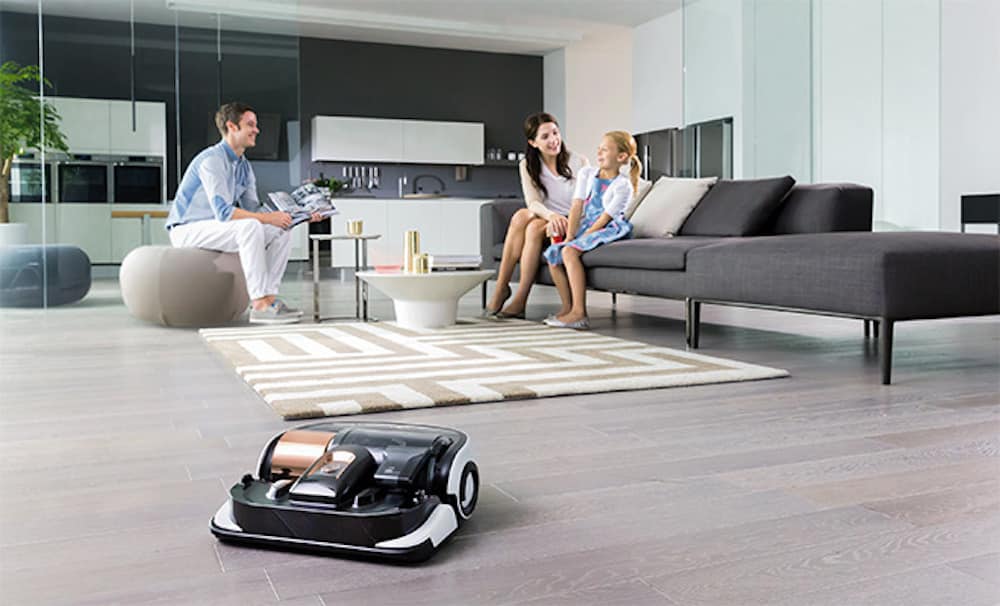
A robot vacuum is a vacuum with a schedule and a navigation system. The schedule is the part people want. The navigation, the brushes, the bin, and the water tank are the parts that decide whether the schedule is a favor or a chore you now supervise. This guide is the decision list. It does not rank models and it does not quote suction numbers as if we had measured them.
The photo is from our older Robot Vacuum Buying Guide. Affordable Robot Vacuums and robot vacuums that work with Alexa stay as historical lists. "Affordable" in a title is not a price we checked in 2026.
Kitchens that shed a lot of debris are in the kitchen guide. Homes with pets or small objects on the floor should also read the family guide. How the robot joins Wi-Fi or Matter is in the protocols guide.
What to decide before the brand
| Your home | Look for | Be careful with | Why |
|---|---|---|---|
| Mostly hard floor, few rugs | A robot with a path you can schedule, and a bin you will empty | A mop feature you did not mean to enable on a rug | Water on the wrong rug is the failure |
| Wall-to-wall carpet | A model the maker says is for carpet, and realistic expectations about deep grit | A robot sold mainly as a mop | Mops do not vacuum thick carpet |
| Thresholds, shower lips, or thick rug edges | The climb height the maker publishes, compared with a ruler at your worst threshold | Assuming "smart" implies a climb | If it cannot cross, you own two rooms and one robot |
| Pets | Easy brush cleaning, and a plan for accidents before the robot reaches them | A schedule that runs before anyone has walked the floor | Robots spread what they find |
| Cords and toys on the floor | A home that will pick up, or a robot you will rescue | No-go lines as the only plan | No-go zones help. They do not roll cables |
| You want it to mop | A separate mop pad or a model with a clear way to avoid carpets, and floors that tolerate water | Unfinished wood, unsealed stone, or rugs without a no-mop zone | Moisture damage is not a software bug |
| Several floors | A robot light enough to move, or one dock per floor if you will actually buy that | One dock in the basement and a promise you will carry it daily | The robot lives where the dock is |
Mapping comes in a few flavors: a robot that bounces and eventually covers a room, and a robot that builds a map you can label. A map is useful if you will set no-go zones and room names. It is not useful if the floor plan changes every day because chairs move. Decide which home you have.
Self-empty docks reduce how often a person handles the bin and add a bag or a dust-cup you must buy later. That is an ongoing supply, not a feature that ends at unboxing. We are not pricing bags.
Compatibility and limits
- Wi-Fi and the vendor app are still how most robots get schedules, maps, and firmware. The 2.4 GHz requirement is common. A dock in a Wi-Fi dead zone means a robot that finishes a job and then fails to upload the map. Put the dock where the phone has a solid connection.
- Voice assistants can start, stop, and sometimes send the robot home, if the vendor links to Alexa, Google, or Siri. Room-specific commands need a map and a link that exposes rooms. Our older Alexa-compatible list is about the link existing for those models at that time. Re-check the current app. Alexa+ tiers, described in the Alexa guide, do not change a threshold height.
- Matter. Robot vacuums have been discussed as a Matter device type as the standard has grown. On November 10, 2026 the Alliance download page listed Matter 1.6.1 documents, and Matter 1.6 was announced on June 17, 2026 with a warning that companies ship features on their own schedule. If you want start/stop/dock inside Apple Home or Google Home via Matter, confirm that those buttons exist for the model in that app today. Do not infer them from a logo. We are not asserting that every 2026 robot implements a particular Matter cluster.
- No-go zones and keep-out sensors fail when the object is new. A pair of shoes is not a wall. A pet accident is not a no-go zone. Walk the floor before a mop run.
- Stairs. Robots use drop sensors. Keep those sensors clean. A cliff sensor covered in dust is a reason a robot can approach a stair badly. We are not publishing a failure rate. We are saying clean the sensors and do not rely on a robot as a baby gate. Stairs need a physical gate if a child is the concern.
- Mopping and carpets. Some robots lift a mop pad. Some refuse carpet in software. Some will drag a wet pad anywhere. Read which one you are buying, then test on a small washable mat before a rug you care about.
Privacy: a robot's map is a floor plan of your home sitting in an account. Cameras on robots that do object recognition are cameras. If you do not want another camera, buy a robot whose obstacle system is not a cloud video feature, and read the data policy. We are not auditing each vendor's policy on this page. You should read the one for the robot you buy.
Setup, and what fails
- Clear the dock area. Robots need space to leave and return. A dock shoved under a couch will fail to park and then sit in the hall until the battery dies.
- Join Wi-Fi before you build a map. Update firmware on the dock.
- Run a supervised first job. Pick the robot up when it eats a cord. Add a no-go zone after, not before, you have seen the real path.
- Name rooms only after the map matches the house. A bad map that you then automate is harder to delete emotionally than practically. Delete it and rerun.
- If you enable mopping, remove rugs or set no-mop zones, fill the tank with the amount the manual allows, and stay home for the first wet run.
- Empty the bin. A "smart" run with a full bin is a noise machine.
- Set a schedule for when the floor is usually clear. A schedule at the messiest hour creates rescues and resentment.
Failures:
- Black or glossy thresholds confuse some cliff sensors. If the robot refuses a floor it should enter, the surface may be the reason. Check the manual's notes on black floors before you return it.
- A threshold that is a few millimeters over the published climb height. Measure. Do not sand a floor to match a robot.
- The dust bag in a self-empty dock is full and the app nag was dismissed. The robot then runs with a small onboard bin and looks "worse."
- Pet hair wrapped on the brush. The fix is a weekly cut-away, not a new robot.
- A map that split one room in two after you moved a sofa. Remap when the furniture settles.
Do not let a robot run on a floor with screws, pet waste, or a spilled drink. The cleanup after that is worse than vacuuming by hand once.
What it costs to own
No model prices.
- Bags or filters on a self-empty dock are a repeating cost. A robot without that dock spends your time instead. Pick which cost you will actually pay.
- Replacement brushes and side brushes are normal wear, especially with pets. Check that the maker still sells them for the model. A robot with no parts in two years is a disposable.
- Mop pads and cleaning solution, if the tank requires a specific solution. Plain water is not always what the manual allows. Follow the manual so you do not void a pump.
- Electricity is real and usually small beside the time you save or do not save. We did not meter a dock's standby. If you care, use a plug meter for a week. Method, not a number, is in the energy guide.
- Returns: a robot that cannot cross your measured threshold should go back before the return window, not after you have built six no-go zones trying to compensate.
Voice control and a Matter button do not add a consumable, but a cloud account you cannot delete is a reason to read the privacy policy before checkout.
Privacy, security, and a manual fallback
- The map is a floor plan. Use a unique password and two-factor authentication. Remove the previous owner's account before you use a second-hand robot. If you cannot reset it, do not buy it.
- If the robot has a camera, know whether images leave the device. Turn the feature off if you do not need object labels.
- Do not let a robot into a bathroom or a bedroom if the household has not agreed, especially a model with a camera.
- Schedules reveal when you are away if someone else has the account. Share the app only with people who live there.
Manual fallback is a broom and a vacuum you can push. Keep them. A robot dock that fails should not mean the floor stays dirty until a replacement ships. Also keep a physical way to stop the robot: the button on top. Know where it is before it is under a bed, stuck, and beeping.
If a robot is heading for pet waste or a cable, pick it up. Do not look for the right no-go zone first.
How to read the older articles
The buying guide, the Alexa list, and the affordable list are the library for this silo. They describe categories that still exist: mapping, Alexa start/stop, and price bands as the author saw them then. They do not know which Matter clusters a 2026 app exposes, and they do not know current bag prices. Use them as a tour of features. Use a ruler on your thresholds and the current spec sheet for climb height and floor types.
Frequently asked questions
Will a robot replace a regular vacuum?
Not as an assumption. Many households use a robot for frequent light cleaning and a regular vacuum for edges, stairs, and deep carpet. Stairs are not a robot job. We did not measure leftover dust.
Can it mop and vacuum in one run?
Some models say they can. The risk is water on rugs and on floors that should stay dry. Read how that model avoids carpet, then supervise the first wet run. If you cannot explain the avoidance, do not enable mopping.
Does it work with Alexa or Google?
Often for start, stop, and dock, if the vendor supports that assistant. Room cleaning needs a map and an integration that exposes rooms. Check the current app. An old "works with Alexa" list on this site is historical.
What about Matter?
Confirm start, stop, and dock in the controller you use, for that model. The Alliance's specification list on November 10, 2026 included Matter 1.6.1 documents. A document is not a button. Companies ship on their own timelines, which the Alliance said again with Matter 1.6 in June 2026.
How do I keep it off the pet bowls and the cables?
Pick up what you can, then add no-go zones for what you will not pick up. No-go zones do not see a new cable. The first week is supervised for that reason.
Do you have a best robot for 2026?
No. We did not test the current models, and we will not invent a winner or a suction score. Measure your thresholds, list your floors, and reject any robot whose published limits do not match that list.
Sources
Checked November 10, 2026.
- Connectivity Standards Alliance, June 17, 2026, Matter 1.6, including per-company timelines and no promise that a spec feature is in a given app: announcement.
- Alliance specification downloads, November 10, 2026, listing Matter 1.6.1 as well as earlier versions: downloads.
- This site's older robot vacuum articles, linked in the directory, as historical feature tours rather than new tests.
Manufacturer climb-height and floor-type statements belong to those manufacturers. Compare them with a ruler. Do not treat them as our measurements.
Articles already on this site
These pages were already on Smart Homes Reviews before this guide. They keep their original wording. Read them as a library of earlier articles, not as new tests or a current ranking.
Posts in this topic
- Affordable Robot Vacuums
- Getting to Know iRobot Braava Jet M6
- Getting to Know Roborock H7 Stick Vac
- Robot Vacuum Buying Guide
- The Best Robot Vacuums Compatible With Alexa