Lighting is the smart-home job most homes should do first, because a wrong choice is a lamp you can unscrew. It is also the job people get wrong by mixing bulbs and switches in the same fixture. This guide is about that choice, plus strips and shades, plus the ceiling-fan overlap in this site's lighting category.
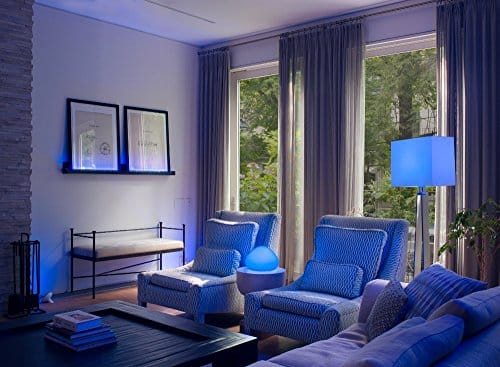
We did not meter brightness, color accuracy, or flicker. There is no ranking. The photo is an older Hue lifestyle image from this site. Top 10 Smart Lighting and Fans remains that article's original list. The starter guide and the protocols guide cover the first-device sequence and the radios. Fans as climate are adjacent to the climate guide only in the sense that a fan is not an air conditioner.
Bulb, switch, strip, or shade
| You have | Prefer | Avoid | Why |
|---|---|---|---|
| A plug-in lamp and a rental | A smart bulb or a smart plug on the lamp | A wired switch | You can take it when you leave |
| A ceiling light everyone hits at the wall | A smart switch, if the box is compatible | A smart bulb downstream of that switch | The next person turns the switch off and the bulb vanishes from the app |
| A fixture with several bulbs | All smart or all ordinary | One smart bulb in a group of ordinary bulbs on a dimmer | Dimmers and mixed bulbs fight |
| A dimmer already in the wall | A switch or dimmer rated to replace it, or ordinary dimmable bulbs | A smart bulb on a dimmer set below full | The bulb will buzz, drop offline, or fail early |
| Color for a screen or a shelf | A strip with a power supply sized for the length | A long run on an undersized supply | Voltage drop looks like a bad LED |
| Glare and privacy, not color | A shade or a blind, if you can mount it | A bulb that "simulates" darkness | You cannot darken a window with a lamp |
| A ceiling fan with a light kit | Decide whether you need fan speed, light, or both | A bulb-only automation that leaves the fan uncontrolled | The pull chains and the remote can disagree |
A smart plug is sometimes the right "lighting" device. It makes a dumb lamp scheduled without replacing the bulb. It cannot dim, and it cuts power to everything on that plug. The plugs guide covers load ratings. Do not put a high-draw heater on a lighting plug because the app said "on."
Compatibility and limits
- Wi-Fi bulbs join the router. They do not need a lighting bridge. A house full of them is a house full of 2.4 GHz clients. If the router is already struggling, a bridge-based system (one radio coordinator and many bulbs) can be kinder to the network. That is a design trade, not a brand slogan. We did not count clients on a test bench.
- Zigbee lighting needs a coordinator: a bridge or a speaker that includes Zigbee. Hue's bridge is the historical example, which is why this site has a Hue starter-kit article and a Hue-versus-LIFX article. LIFX, in that comparison, was the Wi-Fi side of the same argument. Those articles are from their own years. The current hub features of a speaker are a current spec sheet, not that post.
- Thread and Matter. A Matter bulb can be Wi-Fi or Thread. Thread needs a border router. Matter's point is multi-admin: the same light in more than one app, for the features both apps implement. The Alliance announced Matter 1.6 on June 17, 2026 and said adoption timelines vary. On November 10, 2026 the download page listed Matter 1.6.1 documents. Dimming, color, and scenes are basic. Power and energy reporting are not safe to assume from a logo. Check the controller.
- Switches need the box. Some need a neutral wire. Some are designed for boxes without one and have limits on the load type (LED versus incandescent). Open the box only if you are qualified to do that work where you live. If you are not, stop. A bulb avoids the box entirely.
- Three-way circuits (two switches, one light) need a kit made for that, or a design that uses one smart switch and a companion. A random second smart switch will not invent a traveler-wire solution.
- Shades are motors and brackets. Inside-mount versus outside-mount is a measurement. A shade that does not physically cover the glass does not provide the privacy you bought it for. Battery shades need a charging plan. Hardwired shades need power at the window.
- Fans. A smart fan control and a smart light are often separate loads in one canopy. The wall control that shipped with the fan may not coexist with a new controller. Read the fan manual before you replace the canopy module. Our archive photo of a Haiku fan, used on older posts, is one installed fan, not a current test.
- Outdoor lighting gets wet and gets cold. Use fixtures rated for the location. A living-room bulb in a socket by the hose bib is a bad idea even if the app can see it. The outdoor guide covers the garden side.
Voice is optional. How does smart lighting work with Alexa explains the account-link pattern. The same pattern exists for Google and Apple. The bulb can be fine while the voice link is not. Debug the app that talks to the bulb first.
Setup, and what fails
- Pick one room. Replace or automate every switch a person will actually touch in that room, or tell everyone the new rule ("this lamp stays on at the wall").
- If you use bulbs, set the wall switch or the lamp switch to on and, if you can, stop people from turning it off. A guard or a switch cover is honest. Hoping nobody touches it is not a design.
- Add the bridge or the border router before the bulbs, if the system needs one.
- Name lights for what a person sees: "sofa lamp," not "Hue 4."
- Set a physical dimmer level only if the product is the dimmer. Smart bulbs want full power from the wall.
- Create one scene you can tap, then one schedule. Add motion last. Motion plus a too-long timeout is how hallways blaze all night.
- Include an all-off that a guest can find, in the app and at a switch.
Failures:
- The bulb is in a closed fixture and overheats. "Not rated for enclosed fixtures" on the package is a real limit.
- The color bulb's white looks wrong next to an ordinary bulb. That is a mix, not a calibration we can do from here. Use one family of white in a room if you care.
- A power cut restarts bulbs at full brightness. Some remember state and some do not. After the first outage you will know. Set a default if the app allows it.
- A Zigbee bulb was paired to a previous bridge. Reset it or it will never join yours.
- Shades lose their limits after a power loss and try to travel too far. Re-run the limit calibration before you blame the motor.
What it costs to own
We are not listing bulb prices. Ask:
- Does color require a hub you do not have?
- Do scenes sync across rooms only inside one vendor app?
- Is there a subscription? Lighting rarely needs one. If a product does, read why.
- What is the return path if the color is wrong? Bulbs are easier to return than wired switches.
- For shades, the cost of a wrong measurement is a remake. Measure twice or use a product with a fit guide you trust. We are not publishing a measuring service.
- Electricity: an LED that replaces a halogen uses less energy. An LED you leave on because the automation is wrong uses more than the halogen you used to turn off. The behavior matters more than the wattage slogan. If you want a number, meter the circuit. See the energy guide. We will not print a savings percent.
Getting to know Lutron lighting is a brand introduction from this site's archive. Lutron's own current line and any hub it uses should be read from Lutron, not assumed from that article.
Privacy, security, and a manual fallback
Lighting is a low privacy risk compared with cameras and microphones, and it is not zero.
- A bulb with a microphone or a speaker is a microphone. Prefer a bulb that is only a bulb if you do not want another mic.
- The lighting account can reveal when you are home if automations are sloppy, and it can also fake occupancy. Both are choices. An away schedule that is identical every night is a pattern. Varying it a little is free.
- Two-factor authentication on the account still matters, because a stranger in the account can turn lights on and off and can see room names.
- Outdoor lights that blast a neighbor's window are a relationship problem. Aim them, or use a warmer dim level, before you automate motion.
Manual fallback:
- One ordinary lamp that does not depend on an app.
- A switch that cuts power, even if that makes the smart bulb offline. You should be able to make a room dark.
- For shades, a manual pull or a documented way to detach the motor. A shade stuck down over the only exit window is a safety problem. Do not motorize a required egress window unless you know you can open it when the motor is dead.
- For fans, the pull chain or the original remote should still stop the blades.
How to read the older articles
The lighting library includes Hue, LIFX, Lutron, outdoor bulbs, and fan posts. Keep their wording. Do not promote an archive lifestyle photo into a current product shot. Where an article says a specific speaker is the hub, confirm that speaker's radio today. Where it ranks products, leave the rank as a historical list.
Frequently asked questions
Why does my smart bulb keep going offline?
The usual reason is loss of power: a wall switch, a lamp switch, or a dimmer not at full. The next reason is Wi-Fi or a bridge that moved. Check power first. A reset is the last step, because you will have to re-pair.
Should I buy Matter bulbs?
Buy them if you may want the same bulb in a second app later and the features you use — on, off, dim, color — show up in that app now. Matter 1.6 and the later 1.6.1 documents do not, by themselves, change what your controller displays this week.
Can I put a smart bulb on a dimmer?
Not if you want it to stay online and undamaged. Smart bulbs expect full power. Replace the dimmer with a switch, or use ordinary dimmable bulbs and automate the dimmer instead.
Do light strips need a hub?
They need the controller their brand uses, which might be Wi-Fi, Bluetooth for setup only, or a bridge. They also need a power supply matched to the length. A hub does not fix an undersized supply.
Are smart shades worth it in a rental?
Only if the mount does not violate the lease and you can patch the holes, or if the product uses a no-drill mount that actually holds. Measure the window. A shade that is the wrong width is not a privacy device.
Do you have a current brightness ranking?
No. We did not measure lumens or color rendering for this page. Use the manufacturer's published specs for those numbers and treat them as the manufacturer's claim.
Sources
Checked November 10, 2026.
- Connectivity Standards Alliance, June 17, 2026, Matter 1.6, including company-by-company adoption: announcement.
- Alliance downloads, November 10, 2026, listing Matter 1.6.1 above 1.5.1: downloads.
- Thread Group on Thread as a mesh reached through a border router, which is what a Thread bulb needs: border router PDF and Thread with Matter.
Articles already on this site
These pages were already on Smart Homes Reviews before this guide. They keep their original wording. Read them as a library of earlier articles, not as new tests or a current ranking.
Posts in this topic
- BOND – Makes Your Old Ceiling Fan Smart ( Wi-Fi) Review
- Getting to Know Cync A19 Smart Bulb
- Getting to Know Lutron Lighting
- Haiku Home L Series Smart Ceiling Fan Review
- Haiku Smart Ceiling Fan Review
- How Does Smart Lighting Work with Alexa
- Is Ketra Lighting Really a Game-changer?
- Philips Hue Light Vs. LIFX: Which One Stands Out?
- Philips Hue White A19 60W Equivalent Smart Bulb Starter Kit (Compatible with Amazon Alexa, Apple HomeKit, and Google Assistant)
- Reasons Why You Need to Opt for Motorized Shades
- The Best Light Switch With Motion Sensor
- The Best Smart Bulbs to Buy For Your Home
- The Important Function of Smart Lighting
- Things to Know Before Buying LED Strips for Your Smart Home
- Top 10 Smart Ceiling Fans – Smart Fan Control
- Top 10 Smart Lighting and Fans
- What’s the Best Smart Home Ecosystem That Fits Your Lighting Needs